
Introduction
The integration of technology into our daily lives continues to accelerate, shaping the way we communicate, work, and engage with information. Central to this transformative shift is the laptop, a versatile device that has become indispensable for students, professionals, and creatives alike. As we approach 2025, the use of laptops not only signifies a step towards modernity but also highlights the importance of optimizing their performance through essential accessories.
Over the years, laptop accessories have evolved from basic add-ons to sophisticated tools designed to enhance functionality and user experience. In response to growing demands for portability, efficiency, and comfort, manufacturers have crafted a range of innovations that cater to diverse user needs. These include ergonomic stands, high-capacity power banks, noise-canceling headphones, and smart docking stations, among others. The diversity of laptop accessories reflects an increasing understanding of how these devices can be leveraged to improve productivity and maintain physical well-being.
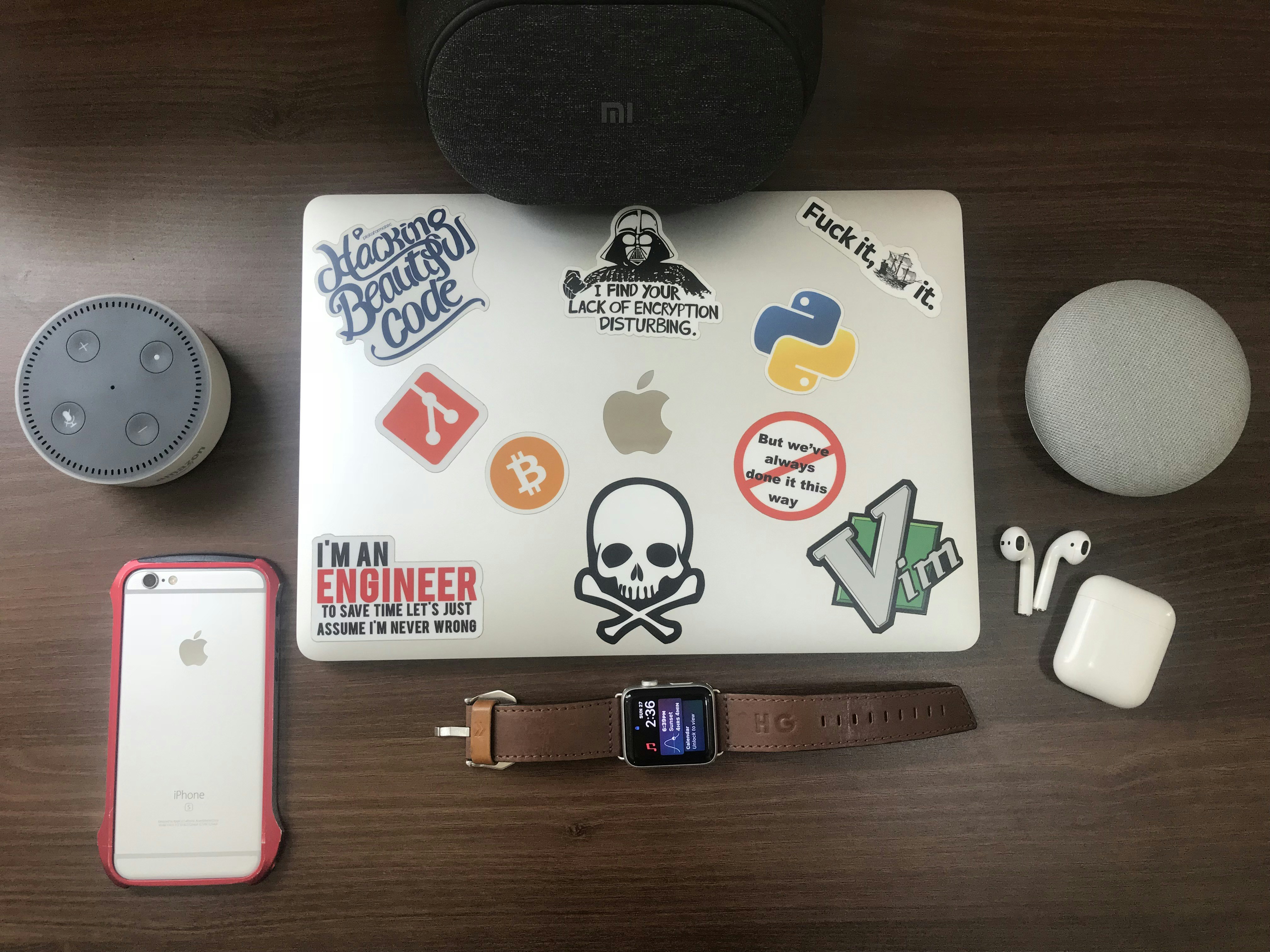
In light of the remote working trend and the rise of digital nomadism, the quest for accessories that combine functionality with comfort is more critical than ever. As individuals spend more time operating laptops, the right tools can significantly reduce strain and enhance productivity. The focus is now not just on the devices themselves, but also on the accessories that complement them. Looking ahead, we will explore which tech accessories are essential for optimizing your laptop experience in 2025, addressing both comfort and efficiency through thoughtfully designed gadgets.
Ergonomic Keyboards
In recent years, ergonomic keyboards have become an essential accessory for laptop users, particularly as we contend with increasing daily screen time. These keyboards are specifically designed to minimize strain on the wrists and hands, promoting a healthier typing posture. By allowing users to maintain a neutral hand position, ergonomic keyboards can significantly reduce the risk of repetitive strain injuries, such as carpal tunnel syndrome. As we progress into 2025, the variety of available ergonomic keyboards has expanded, catering to different preferences and requirements.

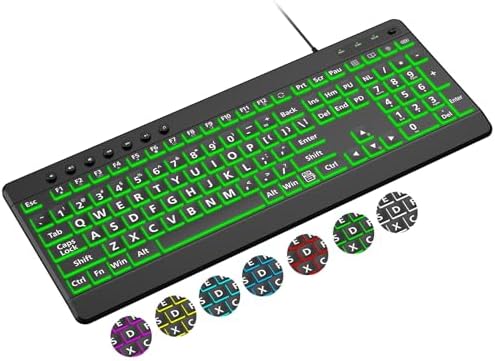

The ergonomic keyboard landscape includes several types, such as split keyboards, which separate the keys into distinct sections, allowing for a more natural hand placement. Additionally, tented keyboards raise the center of the board, making it easier to align the wrists without twisting. Moreover, compact options are available that integrate ergonomic features into smaller designs, ideal for portable use with laptops. When considering compatibility, most ergonomic keyboards are designed to work seamlessly with a variety of laptop brands and operating systems, including Windows, macOS, and Linux.
In terms of pricing, ergonomic keyboards range from budget-friendly options starting around $30 to premium models that can exceed $200, depending on the features and build quality. For those interested in exploring their options, several ergonomic keyboards are topping the popularity charts on Amazon in 2025. Notable options include the Logitech Ergo K860, praised for its split design and comfortable wrist support, and the Microsoft Sculpt Ergonomic Keyboard, which features a cushioned palm rest and a dome-shaped layout. These keyboards are excellent choices for enhancing comfort and productivity while using laptops, making them must-have accessories for every laptop user.
Wireless Mice
The use of a wireless mouse offers numerous advantages over a laptop’s built-in trackpad, particularly in terms of precision and comfort during extended periods of work. Wireless mice provide a level of accuracy that is often unattainable with a trackpad, making them ideal for tasks that require fine motor skills, such as graphic design or data analysis. Furthermore, many users report that using a mouse leads to less strain on the wrist and hand, enabling a more comfortable working experience, especially during long hours of use.


There are various types of wireless mice available in the market today. Ergonomically designed models are particularly beneficial, as they promote a natural hand position and reduce muscle fatigue. Some ergonomic solutions feature additional support for the hand and wrist, making them an excellent choice for professionals who spend considerable time on their laptops. Battery life is another crucial factor to consider when choosing a wireless mouse. Many devices promise battery life ranging from several months to even a couple of years, depending on usage and settings. Models that utilize rechargeable batteries are also gaining popularity, offering the convenience of never needing to purchase replacements.
Most wireless mice are compatible with a wide array of laptops, with systems operating on both Windows and Mac OS readily supported. Pricing for wireless mice can vary significantly based on features and brand, with basic models starting around $20, while high-end ergonomic options can exceed $100. For those seeking recommendations, popular products on platforms like Amazon include the Logitech MX Master 3, which is celebrated for its advanced features and comfort, and the Microsoft Sculpt Ergonomic Mouse, known for its design tailored to reduce wrist strain.
Laptop Stands
The use of a laptop stand is essential for promoting better ergonomics, as it elevates the screen to eye level. This adjustment can significantly reduce neck and back strain, making it a popular accessory among laptop users, especially in our increasingly digital world. As remote work and online learning continue to shape our daily routines, ergonomic solutions such as laptop stands have gained prominence.
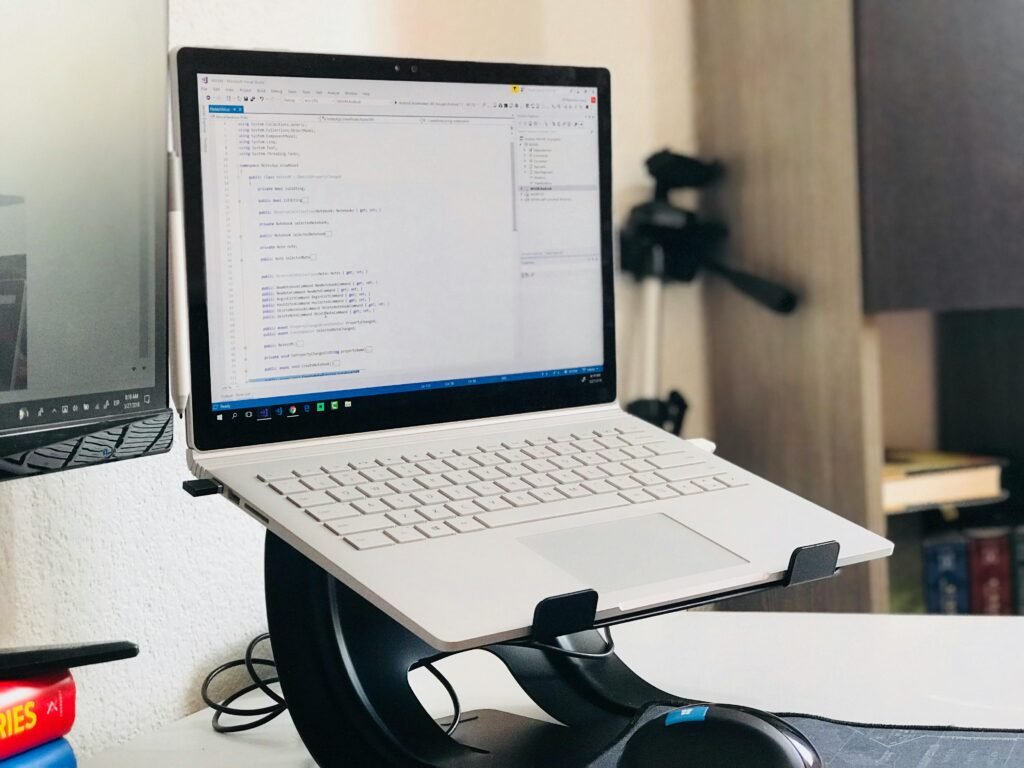
Laptop stands come in various styles, including adjustable and foldable options, catering to different user needs and preferences. Adjustable laptop stands allow users to modify the height and angle, ensuring optimal comfort during prolonged use. This flexibility is invaluable for those who may alternate between sitting and standing while working. Foldable stands, on the other hand, are designed for portability, making them ideal for individuals who frequently travel or work in multiple locations.
When choosing a laptop stand, factors such as durability, weight, and ease of use are paramount. Many stands are constructed from sturdy materials like aluminum or reinforced plastic, ensuring longevity while being lightweight enough for easy transport. Popular choices available on Amazon offer a wide array of these features across various price points, appealing to both budget-conscious consumers and those seeking premium durability.
For example, the APEXSCREEN Foldable Laptop Stand and the Rain Design mStand are often highlighted for their blend of functionality and style, providing users with excellent stabilization and heat dissipation. Additionally, they cater to different budgets, enabling a wider audience to access ergonomic benefits.
Incorporating a laptop stand into your workspace not only enhances comfort but also contributes to overall productivity and health, underscoring its value in a well-rounded tech accessory arsenal for 2025.
Cooling Pads
In 2025, as laptop usage continues to evolve with the increasing demands of resource-intensive tasks such as gaming, video editing, and design work, the necessity of having a cooling pad has never been more pertinent. A cooling pad serves as an external device that aids in enhancing the airflow around your laptop, ultimately aiding in temperature control. By preventing overheating, these accessories can significantly enhance both performance and longevity, ensuring smooth operation during demanding tasks.


Cooling pads typically contain multiple fans that work in conjunction with the laptop’s internal cooling system to provide effective heat dissipation. This is particularly crucial for users whose laptops are prone to high temperatures due to prolonged use of CPU and GPU-intensive applications. The overheating of components can lead to throttling, where the laptop reduces its performance to combat heat, ultimately reducing efficiency. Investing in a reliable cooling pad can thus prevent such scenarios, allowing for uninterrupted workflows.
When choosing a cooling pad, compatibility is essential to consider. Most cooling pads are designed to accommodate various laptop sizes, usually ranging from 15 to 17 inches, but it is advisable to check the specifications to ensure a snug fit. Users should also be aware of the noise levels produced by cooling pads, as some models are quieter than others, catering to those who work in peaceful environments. Generally, prices for cooling pads can range from $20 to $60, depending on features such as the number of fans, adjustable height, and additional USB ports.
For those interested in acquiring a cooling pad, several highly-rated options are available on Amazon, such as the Kootek Laptop Cooling Pad, which boasts adjustable fans and a robust design, or the Tecknet Laptop Cooling Pad, known for its ultra-silent operation and affordability. Exploring these options can pave the way to an improved computing experience.
USB Hubs
In the current digital landscape, USB hubs have become essential accessories for laptop users. These devices facilitate the connection of multiple peripherals, such as keyboards, mice, printers, and external drives, thereby expanding the number of available ports that a laptop offers. As laptops become increasingly streamlined in design, often with limited connectivity options, USB hubs serve as an invaluable solution to meet the increasing demand for connectivity.

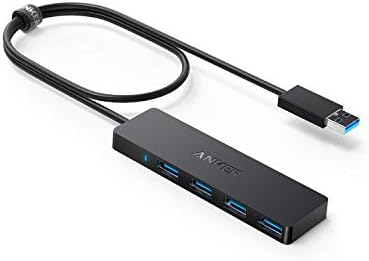
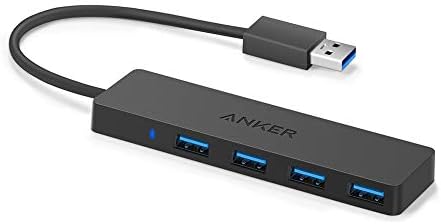
There are various types of USB hubs, with USB-C and USB 3.0 being among the most popular. USB-C hubs are particularly noteworthy as they provide faster data transfer speeds and improved charging capabilities. Additionally, they are becoming the standard for many new laptop models, making them highly compatible with contemporary devices. On the other hand, USB 3.0 hubs continue to be relevant due to their widespread adoption in older laptops and devices, delivering reliable performance and compatibility.
The importance of USB hubs extends significantly to remote work setups. Many professionals require the use of several devices simultaneously, from webcams to external storage drives. A USB hub not only allows for calm and organized workspace clutter but also ensures that users can readily access and utilize their necessary tools without needing to frequently unplug and replug devices. It can enhance productivity by providing seamless and efficient connections.
When selecting a USB hub, compatibility is crucial. Users should check the specifications of their laptops to ensure that the hub can deliver the required performance. Notably, many USB hubs are universally compatible; however, it is advisable to verify details before making a purchase. Popular options available on Amazon include the Anker USB-C Hub, Sabrent 4-Port USB 3.0 Hub, and HooToo USB-C Hub, which cater to various connectivity needs and preferences.
Screen Protectors
In today’s fast-paced digital environment, safeguarding your laptop’s screen is paramount. Screen protectors serve as an essential accessory, working to preserve your device from scratches, fingerprints, and glare. By acting as a barrier, these protective films ensure that your laptop remains visually appealing and functional over time.
Screen protectors come in various types, primarily categorized into matte and glossy finishes. Matte protectors are particularly beneficial for those who tend to work in bright environments, as they significantly reduce glare and reflections, making the screen easier to view. On the other hand, glossy finish protectors enhance color vibrancy and sharpness, providing a more visually appealing experience for tasks that require color accuracy, such as graphic design or video editing. Selecting the right type depends on your specific usage preferences and work conditions.
Installation of screen protectors is designed to be user-friendly. Many products come with detailed instructions and necessary tools, such as cleaning wipes and application cards, to ensure a smooth application process. A well-installed protector does not disrupt the touch sensitivity or overall functionality of the screen, allowing users to seamlessly interact with their laptop.
When considering compatibility, it’s important to select a protector that matches your laptop’s model and screen size. Most manufacturers provide a list of compatible models for their products, making it easier for consumers to find the right fit. Pricing for screen protectors typically ranges from $10 to $30, with numerous options available on platforms like Amazon. Top-rated screen protectors to consider include the Tech Armor Anti-Glare and JETech Screen Protector, known for their durability and performance. By investing in a reliable screen protector, you can prolong the life of your laptop and maintain its display in pristine condition.
Portable Power Banks
With the increasing reliance on laptops for both personal and professional use, particularly among frequent travelers and remote workers, portable power banks have become essential accessories. These devices provide the convenience of charging your laptop while on the go, ensuring that you remain productive without the constant worry of battery depletion.
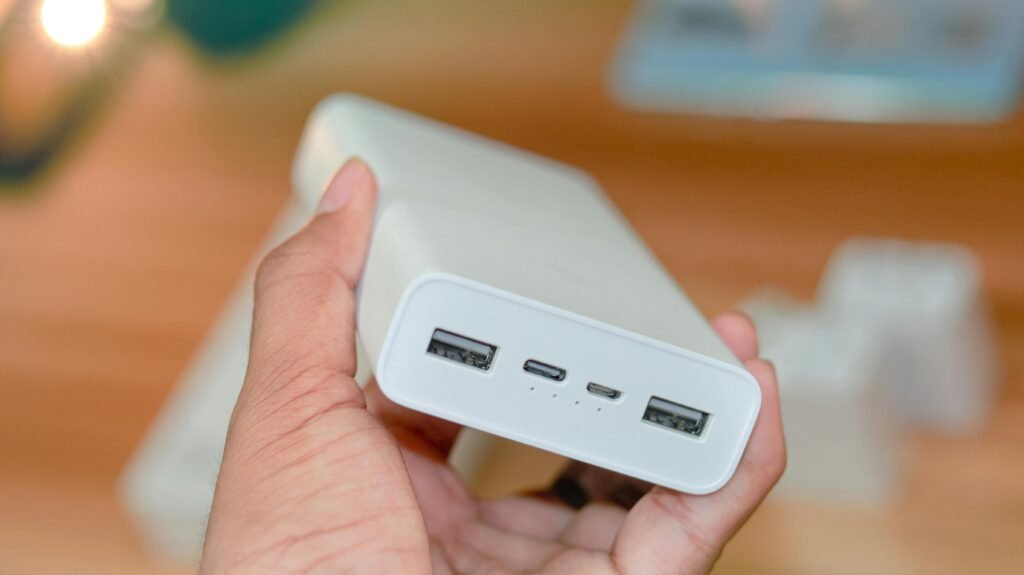
When selecting a portable power bank for your laptop, several crucial features ought to be considered. Power capacity is one of the most critical specifications; it is usually measured in watt-hours (Wh) or milliampere-hours (mAh). A power bank with a higher capacity can charge your laptop multiple times, making it an ideal choice for those who spend significant time away from power outlets. Additionally, users should assess the charging speed, usually indicated in watts (W). A higher wattage allows for faster recharging, which can be particularly useful in urgent scenarios.
Compatibility is another essential factor. Ensure that the power bank is compatible with your laptop’s power requirements as different laptop brands have varying voltage and amp specifications. Many modern power banks support USB-C charging, which is becoming a standard for new laptops, but verifying compatibility with specific models is always prudent.
Price ranges for portable power banks typically vary based on their capacity, brand, and features, generally falling between $30 to $200. Popular choices available on platforms such as Amazon include Anker PowerCore series, RAVPower Portable Chargers, and Belkin’s USB-C Power Bank. Each of these options is well-reviewed for their performance and reliability, making them suitable companions for modern laptop users.
Conclusion and Final Thoughts
As we look towards the future, the importance of investing in quality tech accessories for your laptop cannot be overstated. In 2025, equipping your laptop with the right accessories will not only enhance your productivity but also improve your comfort and efficiency while working or studying. With a plethora of options available, including ergonomic stands, portable docking stations, and high-quality external storage, each accessory can play a crucial role in determining how effectively you interact with your device.
Evaluating your personal needs and preferences is essential before making a decision on which accessories to purchase. For instance, if you frequently travel or work remotely, lightweight and portable options may be more suitable, while those who spend long hours at a desk might prioritize ergonomic solutions that support their posture. Consideration of factors such as durability, compatibility, and design will also enhance the overall experience of using your laptop.
Ultimately, the right tech accessories for your laptop can lead to a more streamlined workflow and can elevate your overall user experience. The ongoing advancements in technology means that looking ahead and planning for 2025 is not just about having the latest model of a laptop, but also about ensuring that you have the necessary accessories that align with your work habits and lifestyle. By making informed choices, you can create a conducive environment that supports your professional and personal development.